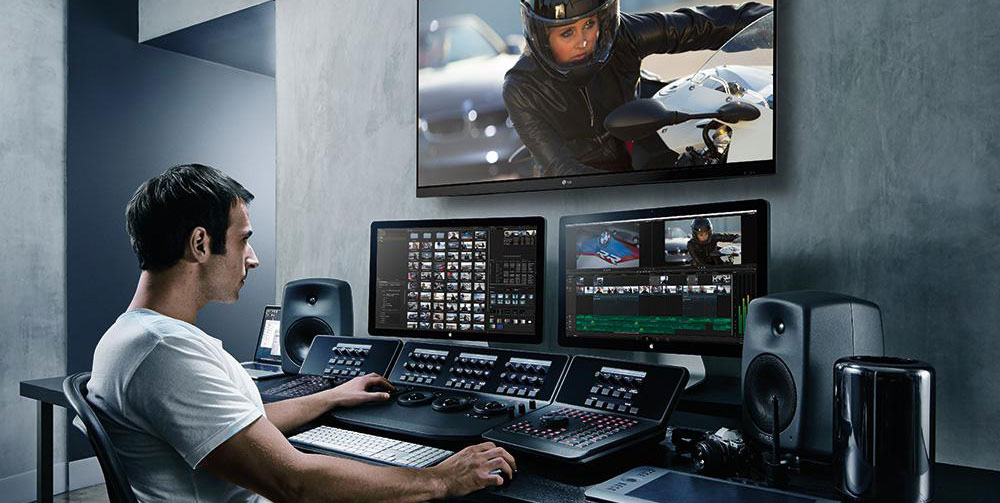
In the fast-paced world of multimedia, video editing has emerged as a critical skill. Whether creating content for social media, producing feature films, or developing marketing materials, the choice of video editing tools can make a significant difference in the quality and impact of the final product. This guide delves into the ultimate professional video editing tools that cater to various needs, from simple edits to complex, multi-layered projects. Understanding these tools will enable content creators to enhance their work and achieve a professional finish.
Top Professional Video Editing Software
Choosing the right software is essential for achieving high-quality results. Here are some of the leading professional video editing tools available today:
- Adobe Premiere Pro: Known for its comprehensive features, Adobe Premiere Pro is a staple in the professional video editing industry. It offers seamless integration with other Adobe products, extensive plugin support, and a user-friendly interface that accommodates both beginners and experts alike.
- Final Cut Pro X: Exclusively available for Mac users, Final Cut Pro X is recognized for its robust performance and intuitive design. It provides powerful editing tools, including advanced color grading, 360-degree video editing, and motion graphics.
- DaVinci Resolve: Combining professional video editing with color correction and audio post-production, DaVinci Resolve is a favorite among filmmakers and colorists. Its free version is highly capable, making it accessible for professionals on a budget.
Advanced Features to Enhance Video Editing
Professional video editing tools offer a range of advanced features that can significantly enhance the editing process and the quality of the final output. Here are some key features to look for:
Multi-Cam Editing
Multi-cam editing allows editors to work with footage from multiple cameras simultaneously. This feature is invaluable for projects such as concerts, interviews, and live events, where capturing multiple angles enhances the viewer’s experience.
Color Correction and Grading
Professional-grade color correction and grading tools enable editors to adjust the color and tone of their footage, ensuring consistency and enhancing the visual appeal. Tools like DaVinci Resolve are renowned for their color grading capabilities.
Visual Effects and Transitions
Incorporating visual effects and transitions can add a layer of polish and creativity to videos. Many editing software options allow for the integration of third-party plugins, expanding the library of effects and transitions available to editors.
Considerations for Choosing a Video Editing Tool
When selecting a professional video editing tool, several factors should be considered to ensure it meets your specific needs:
- Compatibility: Ensure the software is compatible with your operating system and existing hardware.
- Usability: Consider the learning curve and whether the interface suits your editing style and experience level.
- Scalability: Opt for software that can grow with your needs, offering more advanced features as your projects become more complex.
- Cost: Evaluate the pricing model, whether subscription-based or a one-time purchase, and determine what fits within your budget.
Conclusion
The landscape of video editing is vast and continually evolving, with tools that cater to all levels of expertise and project requirements. Whether using industry-standard software like Adobe Premiere Pro or exploring the advanced color grading of DaVinci Resolve, the right tool can transform a simple video into a compelling visual story. By understanding the features and considerations outlined in this guide, content creators can confidently choose the best professional video editing tools to meet their unique needs and elevate their projects to new heights.